BrianD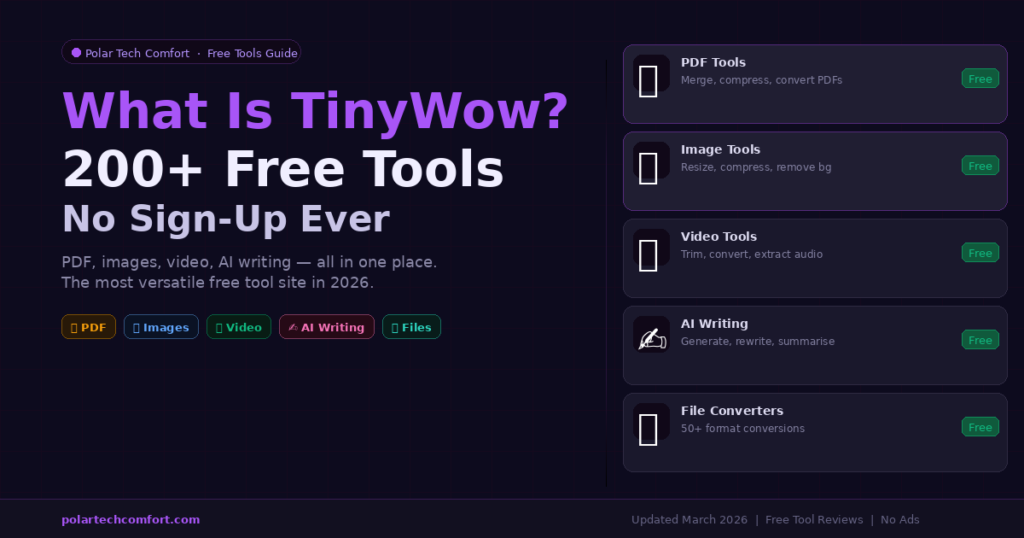
TinyWow is a free online platform offering 250+ tools for PDF editing, image compression, video conversion, AI writing, and file management — all browser-based with no account required. The free tier is genuinely unlimited for basic tasks. A paid plan ($5.99/month) removes ads. It is safe to use for everyday tasks, with files deleted automatically after one hour.
If you have ever searched for a quick way to compress a PDF, remove an image background, or convert a video file without downloading software, there is a good chance you have already stumbled across TinyWow. But what exactly is it, how does it work, and is it actually as useful as it looks?
This guide covers everything you need to know about TinyWow in 2026 — what tools it offers, how it handles your data, what the paid plan includes, and how it compares to the free tools we have built here at PolarTech Comfort.
This article is part of our best free online tools guide. If you are looking for a broader overview of the best free browser-based tools available in 2026, that guide covers 10 top picks across all categories.
What Is TinyWow?
TinyWow is a free, web-based platform that provides over 250 tools for handling everyday digital tasks — without any software installation, account creation, or payment. You open the website, pick a tool, and start working immediately.
It was originally launched as a simple PDF and file converter but has since expanded into a comprehensive digital toolkit covering five main categories:
As of 2026, TinyWow has over 1 million active users and processes more than 10 million files monthly. It is particularly popular with students, content creators, and small business owners who need quick, hassle-free tools without the cost of dedicated software.
How Does TinyWow Work?
Using TinyWow is straightforward. Here is the basic process for any tool on the platform:
-
1Go to tinywow.com and pick a toolTools are organised by category. Click any tool to open its dedicated page directly.
-
2Upload your file or enter your textDrag and drop or click to upload. For writing tools, simply paste or type your content.
-
3Process and downloadClick the action button. Results are ready within seconds. Download directly or share via QR code.
-
4Your file is automatically deletedUploaded files are removed from TinyWow’s servers within one hour of processing.
Is TinyWow Really Free? Pricing Explained
Yes — TinyWow is genuinely free for the vast majority of tasks. Here is how the pricing breaks down:
Some users have reported difficulty cancelling paid subscriptions and misleading credit systems on the premium plans. If you upgrade, use a card that allows easy cancellation and monitor your billing carefully. The free plan is sufficient for most everyday tasks.
Is TinyWow Safe to Use?
For everyday, non-sensitive tasks — yes, TinyWow is safe to use. Here is what we know about how it handles your data:
- Files are uploaded to TinyWow’s servers for processing and deleted automatically within one hour
- The site uses HTTPS encryption for all data transfer
- No account is required, meaning TinyWow does not collect your email or personal details for basic use
- TinyWow does not claim ownership of uploaded files
- Processing is server-side, not browser-side — meaning files do briefly leave your device
TinyWow Pros and Cons
- 250+ tools in one place — no need to visit multiple sites
- No account required for any tool
- Free tier is genuinely useful — not artificially limited
- Fast processing across all tool types
- New tools added regularly
- Files deleted after 1 hour — reasonable privacy
- Works on all browsers and mobile devices
- Ads and CAPTCHA on free plan — can be disruptive
- Server-side processing — files are uploaded (not local)
- Some AI tools have daily free limits
- Paid plan cancellation complaints reported
- No dedicated mobile app (browser only)
- Occasional processing errors on large files
Frequently Asked Questions
Final Verdict — Is TinyWow Worth Using?
For everyday, non-sensitive tasks, TinyWow is one of the most useful free tool platforms available in 2026. The sheer breadth of what is available under one roof — 250+ tools, no account, no cost for basic use — makes it a genuinely valuable bookmark for anyone who regularly needs quick digital utilities.
If privacy is your priority or you want tools built specifically for SEO and web performance, check out our own free tools at PolarTech Comfort — all process data locally in your browser with zero uploads and zero storage.